About Alerts
What alerts are, the Alerts page, who can do what, and the limits.
Staff For staff and admins.
An alert is a text message from your church to the groups and people you pick: the parking lot is flooded, the men's breakfast moves to 8 AM, the youth retreat bus is late. It goes out right away, or at an hour you choose. Staff send alerts from the Alerts page.
The Alerts pageStaff
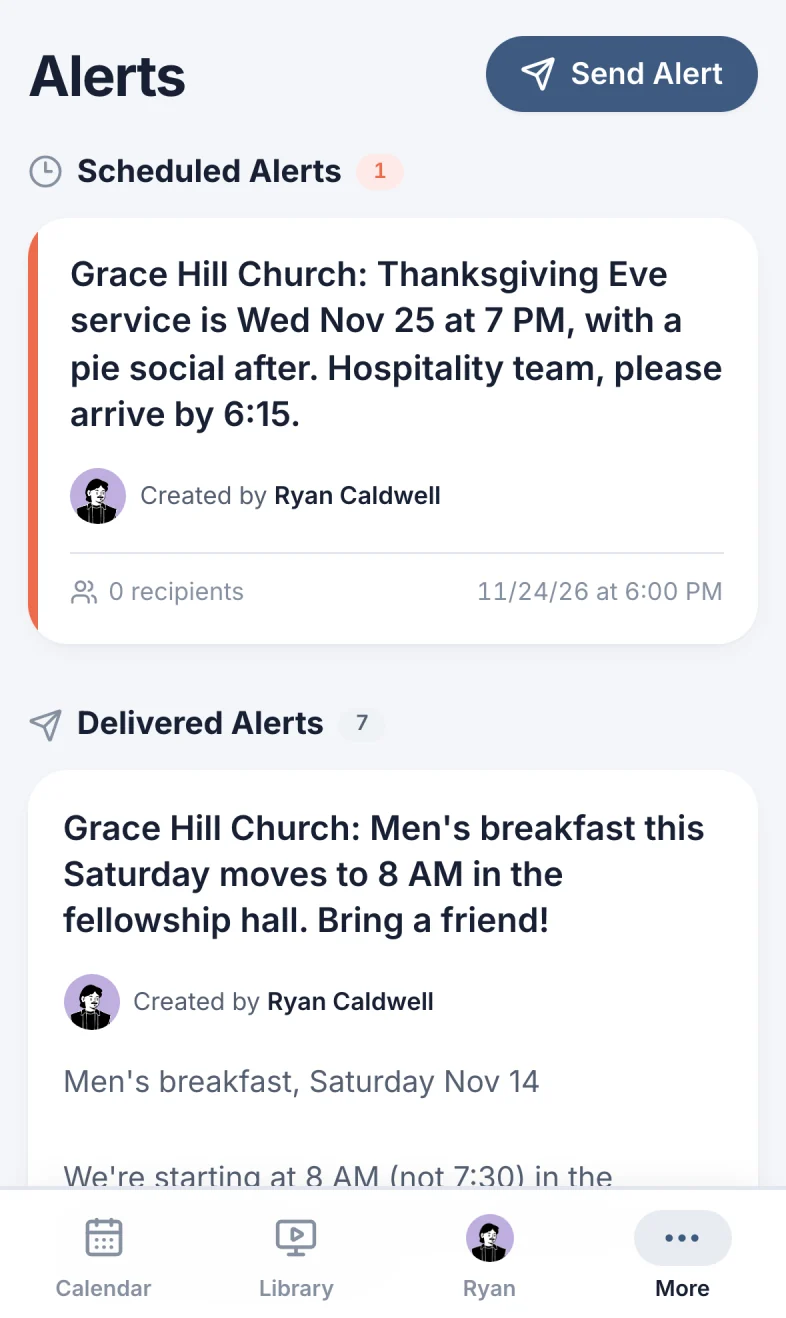
Open Alerts in the menu (on a phone, under More). Only staff and admins have it.
- Send Alert (marker 1 on the screenshot) writes a new alert.
- Scheduled Alerts (marker 2 on the screenshot) are waiting for their time, soonest first. They have a colored edge.
- Delivered Alerts (marker 3 on the screenshot) have gone out, newest first.
What's on an alertStaff
- The text that was sent (marker 1 on the screenshot).
- Who wrote it (marker 2 on the screenshot).
- The longer message, if it has one (marker 3 on the screenshot). People read it on the alert's page.
- How many people the text went to (marker 4 on the screenshot). People who couldn't get a text (no phone number, for example) aren't counted. A scheduled alert shows 0 recipients until it goes out.
- When it went out, or when it will (marker 5 on the screenshot).
Select an alert to open it: you can change a scheduled alert, fix a sent alert's longer message, or delete one (Change or delete an alert).
Who can do what
| Who | What they can do |
|---|---|
| People an alert is sent to | Get the text. If it has a link: open the alert, read the longer message and, unless comments are off, comment. |
| Staff | Send and schedule alerts, see every alert, change alerts, and delete the alerts they wrote. |
| Admins | Everything staff can do, plus delete any alert and any comment. |
Alerts, reminders and event notices
Scheduly sends three kinds of texts. Pick the one that fits:
| Use | For |
|---|---|
| An alert | A one-time message to groups or people, about anything. It isn't tied to an event. |
| Event reminders | Texts that go out on their own before every event made from a template, to the people serving. See Alerts: automatic reminders. |
| A notice from an event | A message to one event's team, from the event page. See Send alerts and reminders. |
An alert can't be sent to an event's team. Put the people in a group, or pick them one by one.
Limits
- Alerts are texts. They only go to people with a US phone number (starting with
+1) on their profile. There's no email copy, except when your church reaches its spending cap. - The text: up to 750 characters, including the link. Long texts cost more (What alerts cost).
- The longer message: up to 3,000 characters.
- Scheduled alerts go out on the hour (like 6:00 PM), not in between.
On your phoneStaff
Open More, then Alerts. Everything works the same as on a computer.
Still have a question?
Email us and we'll help you out.